
-
DMA Hardware: The Complete Buyer's Guide to DMA Cards, Firmware, and Setup
Everything you need to know about DMA cards, custom firmware, second PC setup, and anti-cheat detection — with real costs and compatibility data
-
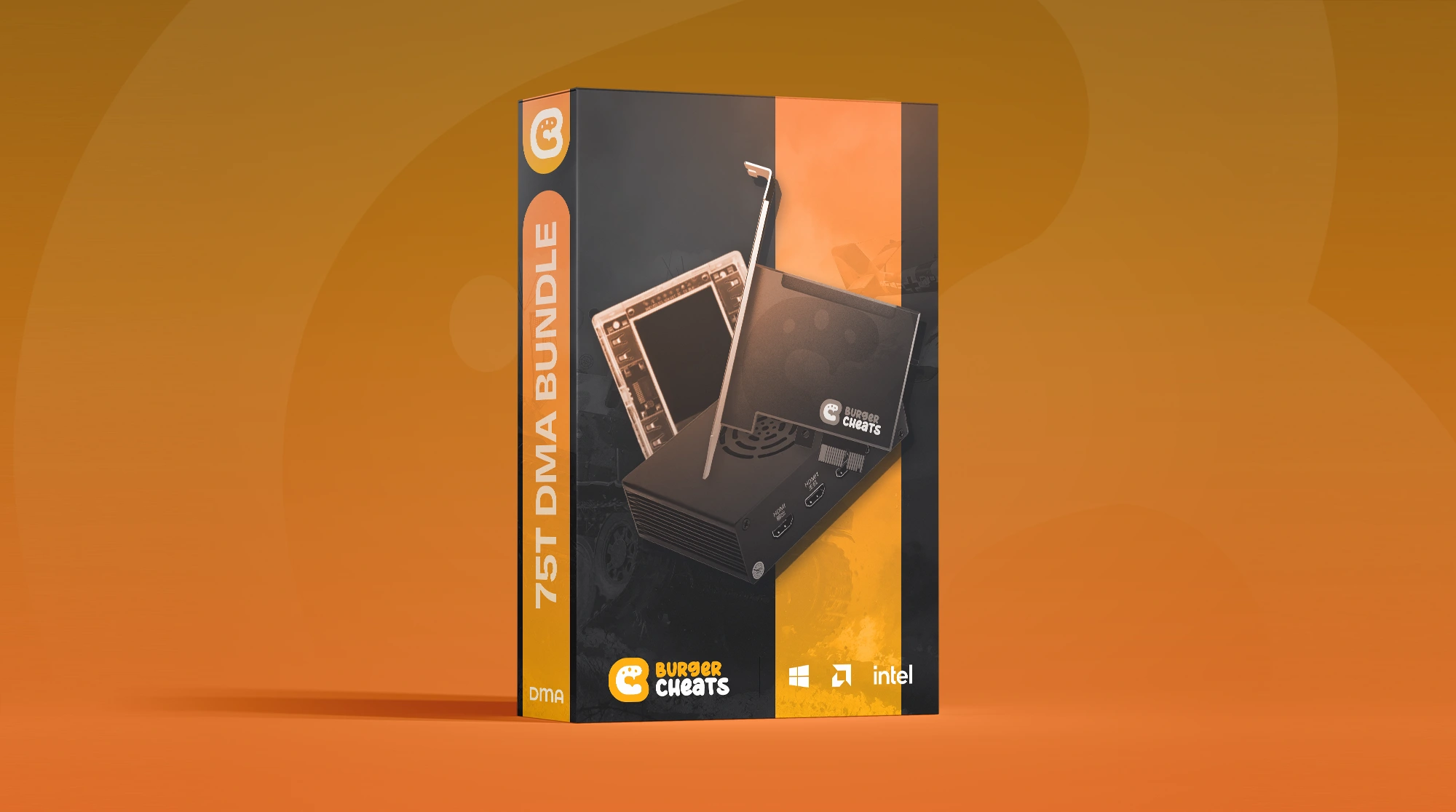
Featured Products
-
-

Every kernel-level anti-cheat update in the past eighteen months has killed another wave of software-based tools. Vanguard's IOMMU enforcement, EAC's A/B device testing, and FACEIT's mandatory hardware verification have pushed the detection ceiling so high that traditional injection methods barely survive a single patch cycle. That shift is why DMA hardware — external FPGA-based cards that read game memory through the PCIe bus from a completely separate machine — has become the dominant approach for players seeking persistent tactical software across Rust wipe cycles, Tarkov raid seasons, and Apex ranked splits alike.
DMA hardware refers to FPGA development boards (most commonly Xilinx Artix-7 chips) installed in a gaming PC's PCIe slot. These cards use Direct Memory Access to read the game's memory space and relay that data over USB-C to a second computer, where cheat software processes the information and returns visual overlays or input commands. Unlike software tools that operate within the same OS environment the anti-cheat monitors, DMA operates at the hardware layer — outside the operating system entirely.
New to the concept entirely? Our primer on what is a DMA cheat explains the basics first. This guide covers every component of the DMA ecosystem, real-world pricing, anti-cheat detection developments through early 2026, and what to actually expect before committing to a setup.
Why Anti-Cheat Evolution Made DMA the Default
Two years ago, a well-coded kernel driver could survive months without detection. That era is over.
The shift started accelerating in late 2024 when Riot's Vanguard began probing PCIe device behavior instead of just scanning running processes. EasyAntiCheat followed by expanding its driver enumeration checks in Fortnite and Apex Legends. By mid-2025, three separate anti-cheat systems — Vanguard, EAC, and FACEIT — implemented proper IOMMU enforcement within the same month.
What changed specifically: anti-cheats now verify that hardware devices behave exactly as their firmware claims. Vanguard sends randomized functionality probes to USB controllers, WiFi cards, and audio devices — if a DMA card is spoofing as a WiFi adapter but can't respond to a fake packet, the system flags it. EAC implemented shadow config space reads that compare PCIe device registers against known-good databases. FACEIT went furthest, loading custom IOMMU configurations that create hardware-level memory fences around game processes.
These developments made traditional software cheats — even kernel-level ones — functionally obsolete in Valorant, increasingly risky in Fortnite competitive playlists, and unreliable in any FACEIT match above 2K Elo. DMA hardware became the default not because it's cheap or easy, but because it's the only architecture that operates outside the anti-cheat's scanning perimeter entirely.
Curious how BurgerCheats handles compatibility across different anti-cheat environments? Check the compatibility notes for current status on every supported title.
Inside the DMA Ecosystem: Every Component Explained
A working DMA setup isn't a single product — it's a five-component system where each piece serves a distinct function. Most vendor pages list these parts without explaining how they connect. Here's the full architecture.
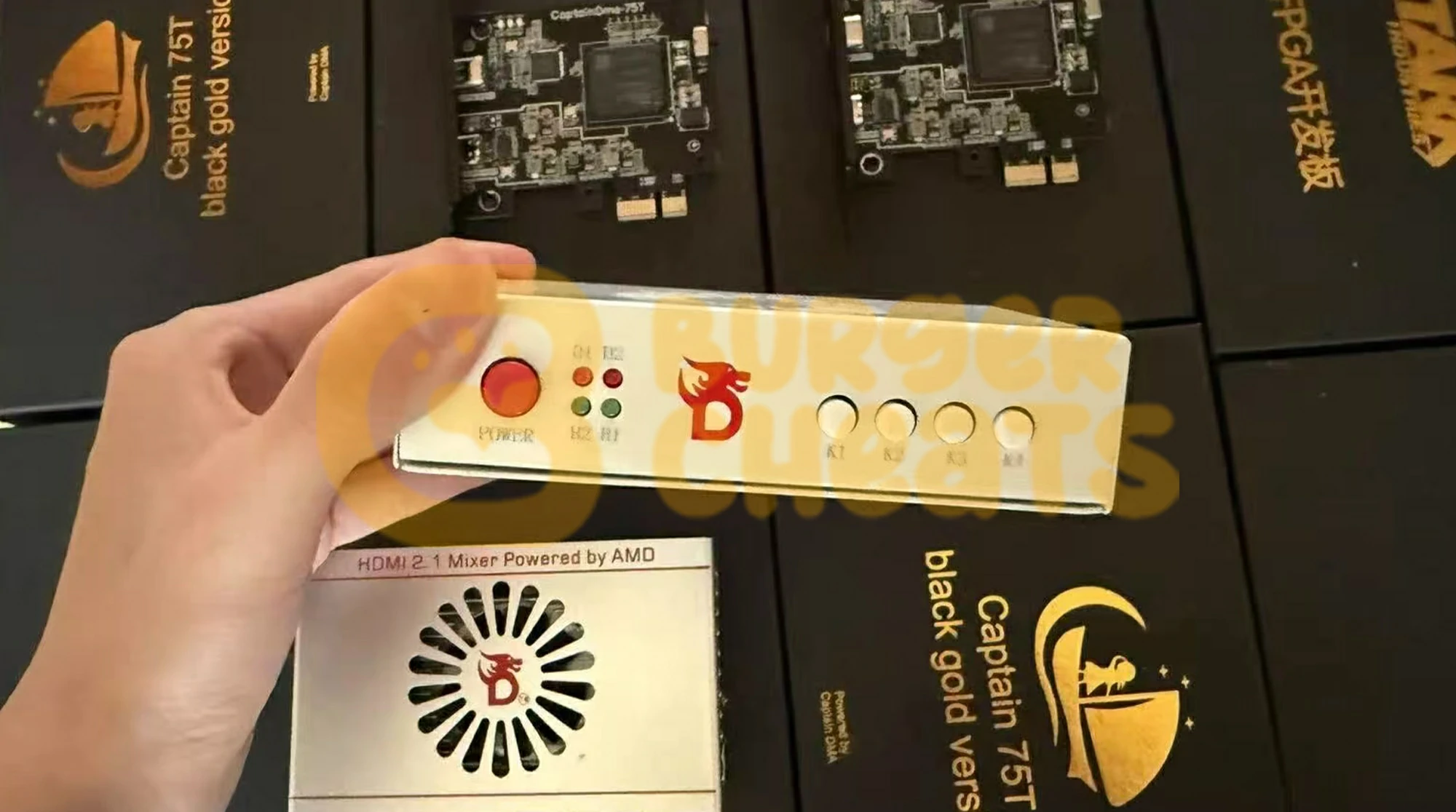
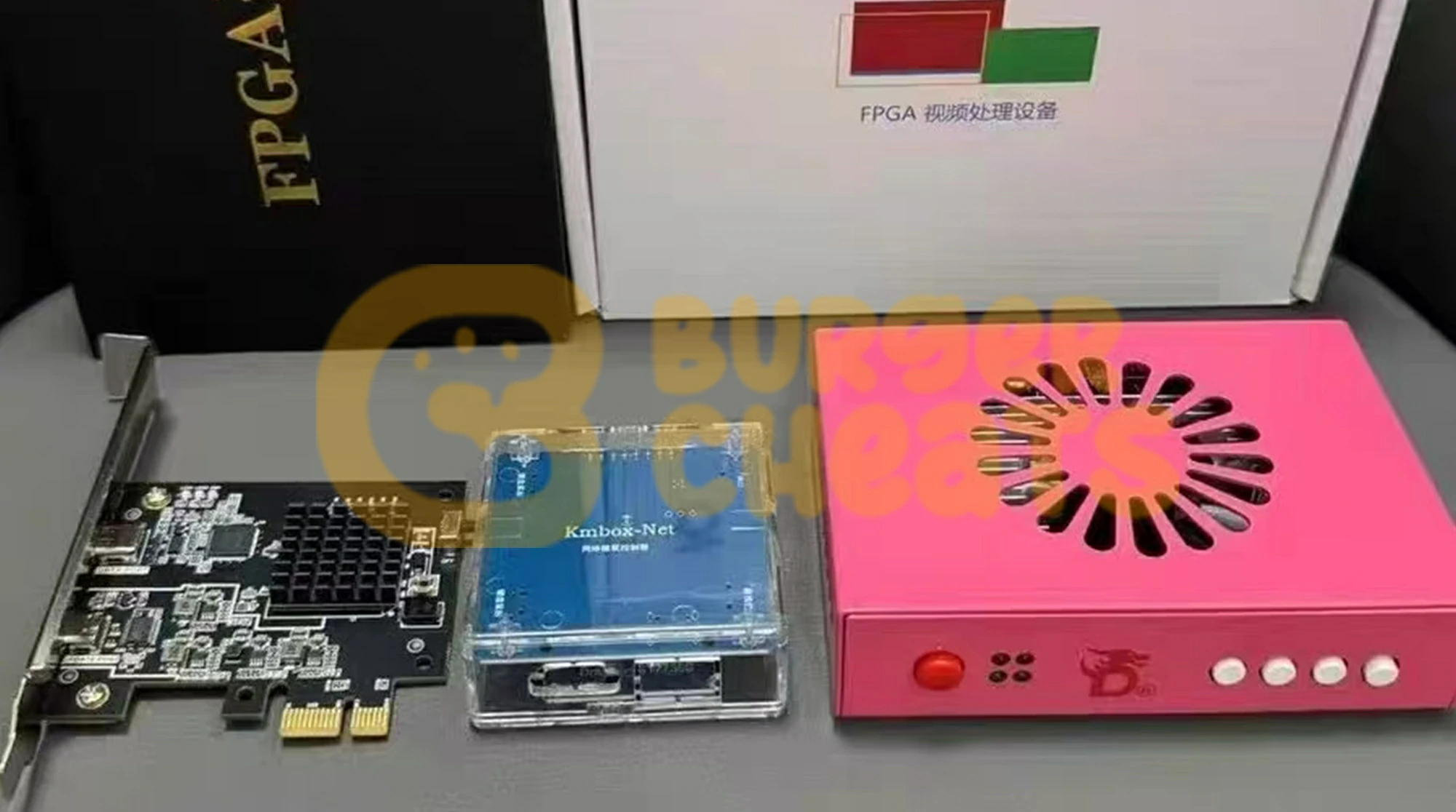
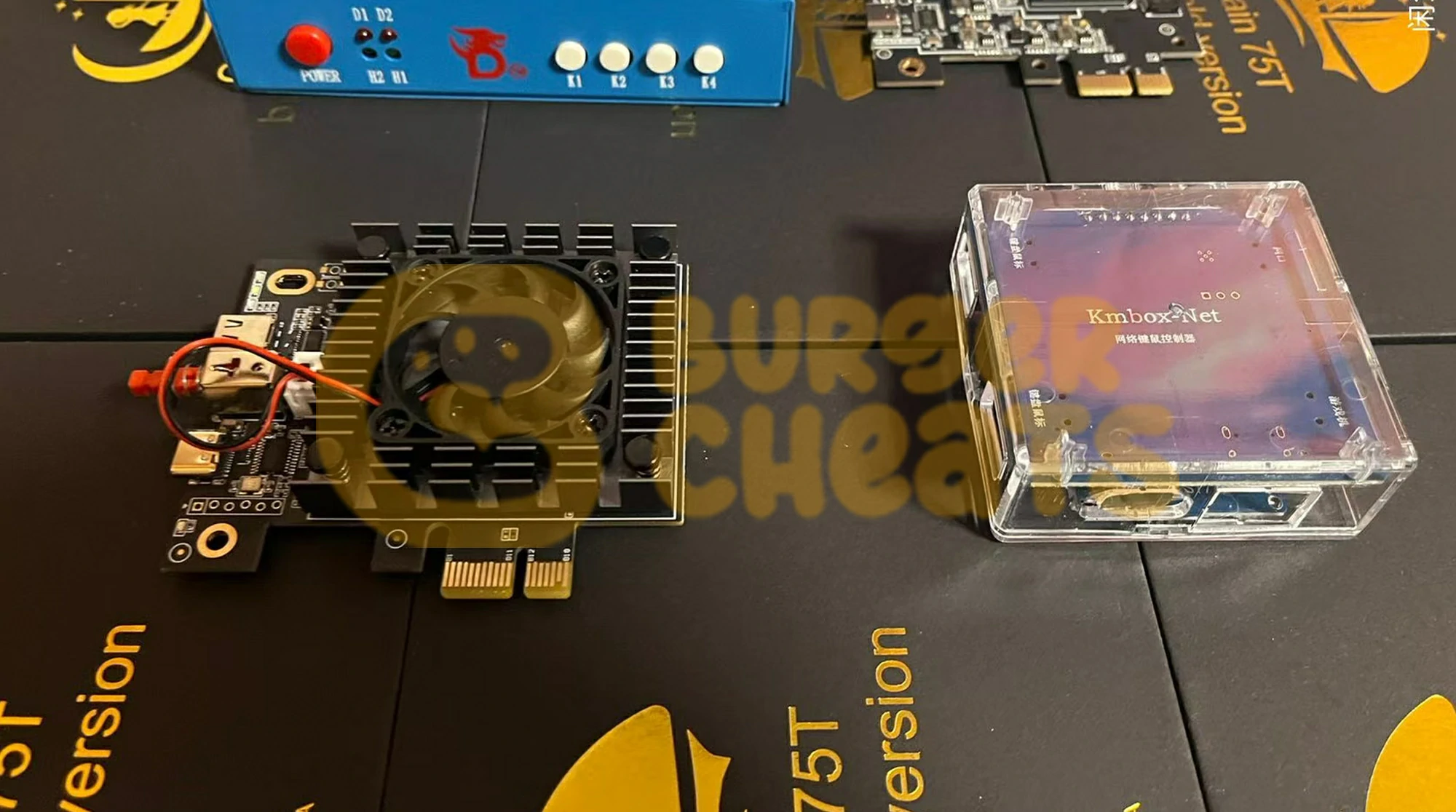
The DMA Card sits in an open PCIe x1 slot on the gaming PC. It contains an FPGA chip (Field Programmable Gate Array) flashed with custom firmware that defines what the card pretends to be — typically a network adapter or USB controller — and handles the actual memory read operations through the PCIe bus.
Custom Firmware is the software loaded onto the FPGA. This is arguably more important than the card itself. Stock firmware shipped with most cards is detected immediately by every major anti-cheat. Custom firmware spoofs the card's PCIe identity, mimics real device behavior during anti-cheat probes, and implements scatter-read patterns that avoid triggering memory access anomaly detection.
The Second PC runs PCILeech (the open-source DMA framework) and the actual cheat software. It receives raw memory data from the DMA card over a USB-C connection, processes player positions and game state, then outputs ESP overlays and calculates aim adjustments. Minimum specs: 4+ CPU cores with AVX2 support, 8GB RAM, and a dedicated GPU if using a fuser.
The Fuser (HDMI or DisplayPort) takes two video inputs — one from the gaming PC's GPU, one from the second PC's cheat overlay — and merges them into a single output sent to your monitor. Without a fuser, you'd need a separate screen for the ESP overlay, which is impractical in fast-paced firefights across Rust monuments or Tarkov resort hallways.
KMBox or MAKCU handles input emulation. DMA reads memory; it doesn't control your mouse or keyboard. For aim-assist or triggerbot functionality, a hardware input device sits between the second PC and the gaming PC, translating computed aim adjustments into physical mouse movements that appear identical to genuine human input.
How it connects:
Gaming PC (DMA card in PCIe slot) → USB-C cable → Second PC (runs PCILeech + cheat software) → KMBox/MAKCU → Gaming PC USB ports. Separately: Gaming PC GPU → Fuser Input 1, Second PC GPU → Fuser Input 2, Fuser Output → Monitor.Need a visual walkthrough of the full setup architecture? The BurgerCheats setup documentation includes step-by-step diagrams for both Intel and AMD configurations.
DMA Cards Compared: 35T vs. 75T vs. 100T
Every consumer DMA card on the market uses a Xilinx Artix-7 FPGA in one of three sizes. The number refers to logic cells — more cells means the card can run more complex firmware with fuller device emulation.
Specification 35T (Budget) 75T (Standard) 100T (Premium) Logic Cells 33,280 75,520 101,440 Firmware Complexity Basic spoofing only Full device emulation Full emulation + future-proofing Typical Price (card only) $100–170 $150–420 $180–320 A/B Test Resistance Limited Good with proper FW Best with proper FW Use Case Single-game, BattlEye titles Multi-game, EAC/BattlEye Vanguard, FACEIT, all titles Example Products LambdaConcept Screamer, Immortal Knight Enigma-X1 v3, Phoenix Model U, DICHEN 75T DICHEN Model M, DMA-Cheats 100T The 75T is the sweet spot for most buyers. It has enough logic cells to run full device emulation firmware — critical for passing EAC's A/B functionality tests — without the premium pricing of the 100T. The 35T works for games protected only by BattlEye or VAC, where device emulation requirements are lower.
One detail most vendor pages skip: nearly all DMA cards regardless of branding originate from a small number of Chinese manufacturers, primarily DICHEN in Shenzhen. CaptainDMA, StarkDMA, MVP DMA, HackDMA, LeetDMA, and PhoenixDMA are rebranded versions of the same underlying boards. The actual differentiator is firmware, not hardware.
Firmware Is the Real Product
A $400 DMA card with stock firmware will get you banned faster than a free software cheat. A $100 card with properly maintained custom firmware can run undetected for months. Firmware quality is the single largest variable in DMA longevity.
Firmware types, ranked by detection resistance:
Stock/Public Firmware — Ships with most cards. Uses default PCIe vendor IDs, no device emulation, generic memory read patterns. Detected by every modern anti-cheat on first scan. Useful only for testing that the card physically works.
Basic Custom Firmware — Spoofs PCIe identity to mimic a real device (usually a USB controller or network card). Changes vendor/device IDs and basic config space responses. Enough for BattlEye and VAC, but fails A/B functionality tests used by Vanguard and EAC.
Emulated Firmware — Installs actual Windows drivers and responds correctly to anti-cheat probes. When Vanguard checks if your "WiFi card" can handle a network packet, emulated firmware passes the test. Required for Fortnite, Apex, and any EAC-protected title after mid-2025.
1:1 Custom Firmware — Built for a single customer with unique identifiers derived from a real device. Each copy is cryptographically distinct. If one user gets detected, the firmware signature can't be used to ban others. This is what high-end providers charge $150–300+ for.
Firmware has a shelf life. Anti-cheat developers continuously reverse-engineer detected firmware samples to build signature databases. A firmware revision that's clean today might trigger detections in three to five months. Budget for ongoing firmware replacement costs — this is not a one-time purchase.
BurgerCheats maintains active firmware compatibility tracking across all supported titles. Visit the product pages to see current firmware status and supported anti-cheat environments.
The Anti-Cheat Arms Race: Detection Methods
This is the section no vendor writes — because honesty about detection undermines the "undetectable forever" sales pitch. Here's what's actually happening — and if you want the driver-level fundamentals behind it, our guide explains how kernel anti-cheats detect DMA.
IOMMU Enforcement is the most significant single development. IOMMU (Input-Output Memory Management Unit) creates hardware-level memory isolation. When properly enabled by the anti-cheat, a DMA card attempting to read protected memory triggers a fault that gets logged. FACEIT made IOMMU mandatory for all players by August 2025. Vanguard and EAC followed the same month. The December 2025 disclosure of motherboard vulnerabilities (where ASUS, Gigabyte, MSI, and ASRock boards were falsely reporting IOMMU as active) led to BIOS update requirements and Riot's VAN:Restriction enforcement for outdated firmware.
A/B Functionality Testing sends randomized probes to PCIe devices. Vanguard began testing XHCI (USB controller) emulation in January 2025, expanded to WiFi card behavior in March, audio codec responses in April, and capture card emulation in July. These tests are randomized per session — a firmware that passes today might face a different probe tomorrow.
Honeypot Memory Regions appeared in Vanguard around June 2025. The anti-cheat seeds game memory with decoy data structures containing fake but plausible player positions and item locations. Any read access to these regions indicates unauthorized memory scanning. This caused significant ban waves and forced cheat developers to implement more cautious read patterns.
Remote Attestation is unique to RICOCHET (Call of Duty). Instead of local verification, RICOCHET sends TPM-signed cryptographic proofs to Microsoft Azure cloud servers. Faking a clean system against remote cloud verification is substantially harder than bypassing local checks.
Current detection status by anti-cheat (March 2026):
Anti-Cheat Protected Titles DMA Detection Level Key Mechanisms Vanguard Valorant Aggressive IOMMU, A/B testing, honeypots, boot chain EAC Fortnite, Apex, Rust Strong IOMMU mandatory (competitive), A/B testing FACEIT AC CS2 (FACEIT) Strong IOMMU mandatory, kernel driver RICOCHET CoD/Warzone Moderate-Strong TPM/Secure Boot, remote attestation BattlEye Tarkov, DayZ, PUBG Moderate Config space signatures, kernel driver VAC CS2 (Valve matchmaking) Weak No kernel protection; DMA largely undetected The takeaway: DMA is not universally safe, and any vendor claiming otherwise is lying to you. Detection risk varies dramatically by game. Tarkov and DayZ under BattlEye remain lower-risk environments. Valorant under Vanguard is the highest-risk target for DMA users.
Want to check which titles BurgerCheats currently supports and their real-time compatibility status? The game pages are updated with each anti-cheat patch cycle.
What a Complete DMA Setup Actually Costs
Vendor pages show card prices. They rarely show total cost of ownership. Here's the honest breakdown.
Budget Setup ($370–520 total)
35T DMA card ($100–170), basic custom firmware ($50), basic HDMI fuser ($60), MAKCU v2 ($30–40), used mini PC or old laptop as second machine ($100–200). Suitable for BattlEye and VAC-only titles.Mid-Range Setup ($590–1,065 total)
75T card with emulated firmware ($225–420), DisplayPort fuser ($80–120), KMBox Net ($60–80), new mini PC like a Beelink N150 ($200–350). Covers EAC, BattlEye, and RICOCHET titles.Premium Setup ($1,100–1,900 total)
100T card with 1:1 firmware ($300–500), 4K fuser ($120–150), KMBox B+ Pro ($80–100), dedicated second PC build with discrete GPU ($400–600). Required for Vanguard and FACEIT environments.Recurring costs you need to budget for:
Firmware replacements every 3–5 months: $50–150 per cycle. Monthly cheat software subscriptions: $20–100 depending on title and features. These ongoing costs are the part most buyers underestimate. Over twelve months, firmware renewals and subscriptions can exceed the initial hardware investment.Motherboard Compatibility: The Problem Nobody Warns You About
This is the single most common source of post-purchase frustration in the DMA community, and almost no vendor page addresses it.
DMA cards communicate through the PCIe bus, and different motherboard manufacturers implement PCIe initialization differently. The result: a card that works perfectly in one system fails completely in another.
Known problem boards: Gigabyte motherboards are the most frequently reported source of DMA issues. Users report failed card detection, intermittent BSOD on boot, and abnormally slow DMA read speeds (under 30 MB/s when 125+ MB/s is normal). Several ASUS boards from the Z690 and Z790 series have also shown initialization conflicts with specific FPGA firmware revisions.
What works consistently: MSI boards have the fewest reported compatibility issues across community forums and troubleshooting threads. ASRock boards are generally stable but occasionally require specific BIOS settings that aren't documented in vendor setup guides.
Before you buy, check BIOS availability for your specific board. You need the ability to disable VT-d/IOMMU (Intel) or SVM Mode/IOMMU (AMD), and some OEM boards lock these settings. If your BIOS doesn't expose these options, DMA will not work regardless of which card or firmware you use.
Troubleshooting Common DMA Issues
Card not detected after installation. Usually a BIOS configuration issue. Verify that Above 4G Decoding is enabled, Resizable BAR is disabled, and your PCIe slot is set to Gen 3 (not Auto). If using an AMD system, disable IOMMU/SVM in BIOS. Also check that the FTDI FT601 USB bridge driver is properly installed on the second PC.
Extremely slow read speeds (under 50 MB/s). Normal DMA read speed should be 125 MB/s or higher. Slow speeds usually indicate the card defaulted to PCIe Gen 1 instead of Gen 3. Check BIOS PCIe link speed settings. Some motherboards require the card to be in a specific physical slot (the first x16 slot, not a secondary x1 slot) even though DMA cards only use x1 bandwidth.
"Tiny PCIe TLP Algorithm" errors in PCILeech. This typically means the firmware's Transaction Layer Packet configuration doesn't match your system's PCIe implementation. Reflash with firmware built for your specific motherboard chipset (Intel vs. AMD). This error is more common on older B450 and X470 AMD boards.
BSOD during boot with DMA card installed. Almost always a firmware conflict with the motherboard's PCIe initialization sequence. Try a different PCIe slot first. If that fails, flash different firmware that emulates a device your BIOS handles natively (USB controllers tend to cause fewer conflicts than network adapters).
Fuser shows black screen or no overlay. Check that the second PC's resolution output matches the gaming PC's resolution exactly. Mismatched refresh rates (e.g., 144Hz gaming PC vs. 60Hz second PC) also cause fuser failures. Use identical resolution and refresh rate on both outputs.
Game-Specific DMA Considerations
DMA isn't a universal solution — each game's anti-cheat implementation creates different requirements and risk profiles.
Rust (EAC) undergoes monthly wipe cycles that reset game state, and EAC pushes detection updates alongside Facepunch's forced wipes. DMA users on Rust need firmware that handles EAC's scatter-read detection patterns. The game's large open-world map means ESP radar functionality requires processing significantly more entity data than arena shooters, which increases second PC CPU requirements.
Escape From Tarkov (BattlEye) has one of the more permissive anti-cheat environments for DMA. BattlEye focuses primarily on config space signatures rather than active device probing, meaning basic custom firmware (not full emulation) still works in most cases. However, BSG has announced plans to upgrade their anti-cheat integration — longevity is uncertain.
Apex Legends (EAC) shares Fortnite's EAC implementation but with tighter memory encryption around player position data. DMA cheats for Apex require firmware that handles EAC's A/B testing and cheat software that can decrypt Apex's specific memory obfuscation layer.
CS2 depends entirely on the platform. Valve's native VAC offers minimal DMA detection — it's the lowest-risk DMA environment among major competitive titles. FACEIT, however, runs its own kernel-level anti-cheat with mandatory IOMMU, making DMA significantly harder and requiring premium 1:1 firmware.
Call of Duty / Warzone (RICOCHET) presents a unique challenge with its remote TPM attestation. DMA cards themselves aren't directly detected, but RICOCHET's cloud-based verification of system integrity creates an additional layer that can flag systems with suspicious PCIe device configurations.
BurgerCheats maintains game-specific pages for each supported title with detailed compatibility info. Browse the full game list for the title you're interested in.
Frequently Asked Questions
What is DMA hardware in gaming?
DMA hardware refers to FPGA-based PCIe cards that use Direct Memory Access to read a game's memory from a separate computer. The card sits in the gaming PC's PCIe slot and transmits memory data to a second PC over USB-C, where cheat software processes the information outside the anti-cheat's monitoring scope.
Do I need two PCs for a DMA setup?
Yes, always. The DMA card reads memory from the gaming PC, but all processing happens on the second machine. There is no single-PC DMA solution — the entire point is that the cheat software runs on hardware the anti-cheat cannot scan. A budget mini PC or used laptop with 4+ cores and AVX2 support works as the second machine.
Can anti-cheat systems detect DMA cards?
Yes, and detection has improved dramatically since 2024. Vanguard, EAC, and FACEIT all implemented IOMMU enforcement and A/B device functionality testing in 2025. Detection risk varies by game — VAC (CS2 Valve matchmaking) has minimal DMA detection, while Vanguard (Valorant) is the most aggressive. Custom firmware is required to reduce detection risk.
How much does a complete DMA setup cost?
Budget setups start around $370–520 (35T card, basic firmware, fuser, input device, second PC). Mid-range runs $590–1,065, and premium setups for Vanguard/FACEIT compatibility reach $1,100–1,900. Recurring costs include firmware replacements every 3–5 months ($50–150) and monthly cheat software subscriptions ($20–100).
What's the difference between 35T, 75T, and 100T DMA cards?
The number indicates FPGA logic cell count. 35T cards (33,280 cells) handle basic firmware for BattlEye/VAC games. 75T cards (75,520 cells) support full device emulation needed for EAC and RICOCHET. 100T cards (101,440 cells) provide maximum capacity for the most complex firmware required by Vanguard and FACEIT.
Is stock firmware safe to use?
No. Stock firmware ships with default PCIe vendor IDs and no device emulation. Every modern anti-cheat detects it immediately. Custom firmware that spoofs device identity and responds to anti-cheat probes is mandatory for any title with active anti-cheat.
Does DMA give you aimbot?
Not directly. DMA only reads memory — it provides data like player positions for ESP or radar. Aimbot functionality requires a separate hardware input device (KMBox, MAKCU, or Xim Matrix) that translates computed aim adjustments into physical mouse movements on the gaming PC.
What is a DMA fuser and do I need one?
A fuser merges two video signals — your game output and the second PC's ESP overlay — into one monitor feed. Without it, you'd need a separate monitor for the cheat overlay, which is impractical during fast gameplay. Fusers cost $60–150 depending on resolution support.
Can I get hardware banned (HWID banned) while using DMA?
If your firmware is detected and the anti-cheat links the detection to your gaming PC's hardware identifiers, yes. HWID bans affect motherboard, GPU, and drive serial numbers. DMA reduces this risk compared to software cheats because the cheat software never touches the gaming PC's OS, but firmware detection can still trigger account-level and hardware-level bans.
How often does DMA firmware need to be replaced?
Typically every 3–5 months. Anti-cheat developers continuously reverse-engineer detected firmware to build signature databases. When a firmware revision appears in their detection list, all users running that version face ban risk. Budget $50–150 per firmware cycle.
Which motherboards work best with DMA cards?
MSI boards have the fewest reported issues. ASRock is generally reliable. Gigabyte boards are the most frequently cited source of compatibility problems — failed detection, slow speeds, and boot-time BSODs. Check that your BIOS allows disabling IOMMU/VT-d before purchasing a DMA card.
What is IOMMU and why does it matter for DMA?
IOMMU (Input-Output Memory Management Unit) creates hardware-level memory isolation that restricts which memory regions a PCIe device can access. When enabled by anti-cheat software, IOMMU can detect and block unauthorized DMA reads. Most DMA setups require IOMMU to be disabled in BIOS — but FACEIT and Vanguard now enforce its activation, creating a fundamental conflict that firmware developers are racing to solve.
How does DMA compare to software cheats?
DMA operates outside the gaming PC's operating system, making it invisible to process-scanning anti-cheats. Software cheats run inside the monitored environment and face direct detection through driver enumeration, memory integrity checks, and behavioral analysis. DMA is harder to detect but dramatically more expensive, requires a second PC, and still faces firmware-level detection through PCIe probing. Software cheats are cheaper and simpler but have much shorter detection lifespans.
The Bottom Line on DMA Hardware
DMA hardware occupies a specific position in the gaming software ecosystem: highest setup complexity, highest initial cost, but longest operational lifespan when properly maintained. The anti-cheat arms race has made it the only viable architecture for persistent tool use across most major competitive titles — but "viable" doesn't mean risk-free or maintenance-free.
Before committing, understand three realities. First, this is not a one-time purchase — firmware renewals and subscriptions create ongoing costs that can exceed $600 annually. Second, your motherboard determines 80% of your setup experience, and checking compatibility before buying any hardware will save you days of troubleshooting. Third, detection varies by game — what's low-risk in CS2 Valve matchmaking is high-risk in Valorant ranked.
If you've evaluated the requirements and decided DMA is the right approach, BurgerCheats provides maintained software with documented compatibility, active support, and transparent update schedules across every supported title.
Explore BurgerCheats Products →
Ready to see specific compatibility details, firmware status, and pricing for your title? Visit the BurgerCheats product pages.

-
-
Total Members 5,755
-
Most Online 149
-
Newest Member ejder0234

-
-
Reviews
-

By nineyt. · Posted
I've had a great experience not only with jjboy, but burger themselves. They have great staff that get back to you on time, and solve pretty much any issue you end up running into. -

By 10_jacob_01 · Posted
Howdy! I've been purchasing products from Burger cheats since 2025 and they've had the best ranges of selection for multiple products! Next cheat full and Lite (EFT) - major fan! honestly one of the best I've used and it has the features for pvp and pve, some tailored for those pve mains like myself, customizable UI, very modular and super user friendly, absolutely would recommend it to others! Collapse (EFT) - Great all around and it's nice and very straight forward, I do enjoy the UI of this one Ancient (EFT) - A good beginner one for people just getting into EFT cheesing. and lastly Vortex (War Thunder) - This has been my go too every time I want to just go ham in war thunder, I absolutely love it! Overall with burgercheats they've provided such clear fool proof instructions I simply cannot thank them enough, as they were my first service provider and will always be my go to service provider via myself or recommending to others! - A very happy Customer!! -

By sieto215 · Posted
I’ve had a really good experience with the service so far. The website is easy to use, everything is well organized, and the AI assistant is surprisingly helpful and actually gives useful answers. What impressed me most was the support. Whenever I had a question or needed help, I got a proper response instead of just a generic answer. The support was friendly, helpful, and really tried to solve the issue. Overall, I’m very satisfied with the website, the tools, the AI assistant, and especially the customer support. Definitely a very positive experience and something I would recommend. -

By EnteMitTalente · Posted
great product, paypal purchase went flawless with fast response and @admin helped me solve my tech issues -

By _swappy · Posted
I have gotten one of the best marketplace experience here. I personally have bought apex legends cheat here several times already and have recommended a few of my friends as well. In my personal opinion it is the best marketplace in this domain as of right now.
-